The EGG file is used by JumpRope as the final step to bridge the gap between the gradebook and STARS Classroom through Class Grades.
Login to STARS and pick the current school year and term. Then click on Select.
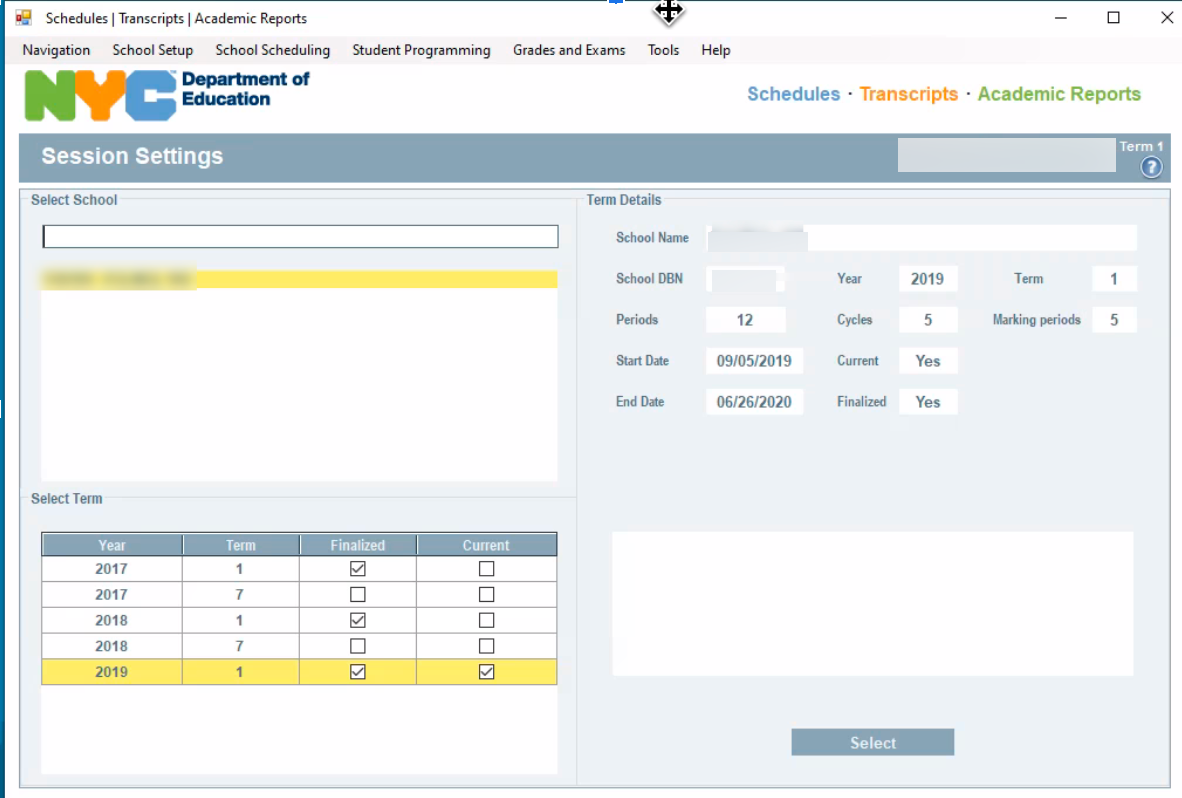
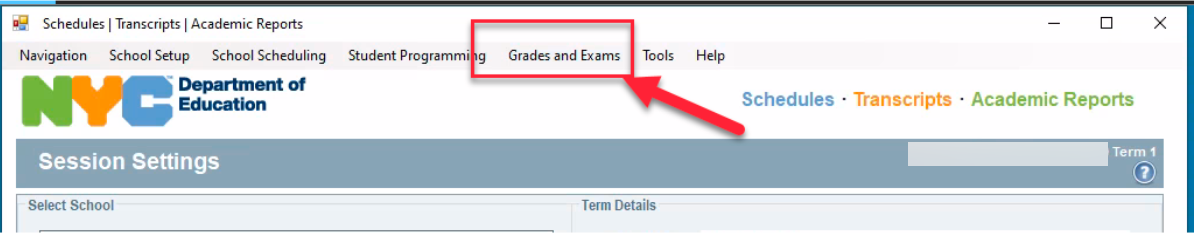
After Select, go to Grades and Exams
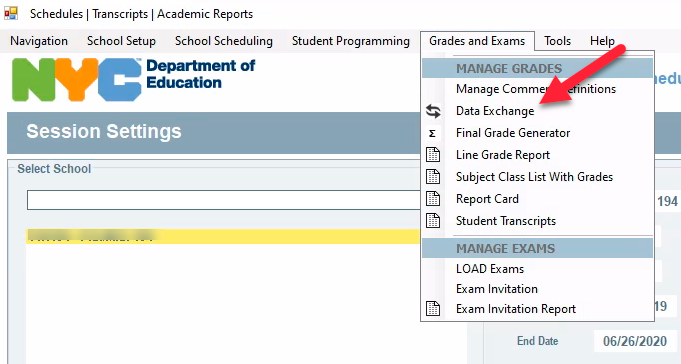
Click on Data Exchange
The Data Exchange page will allow you to Download and Upload the EGG file to STARS. We will use this option for the final step of Class Grades.
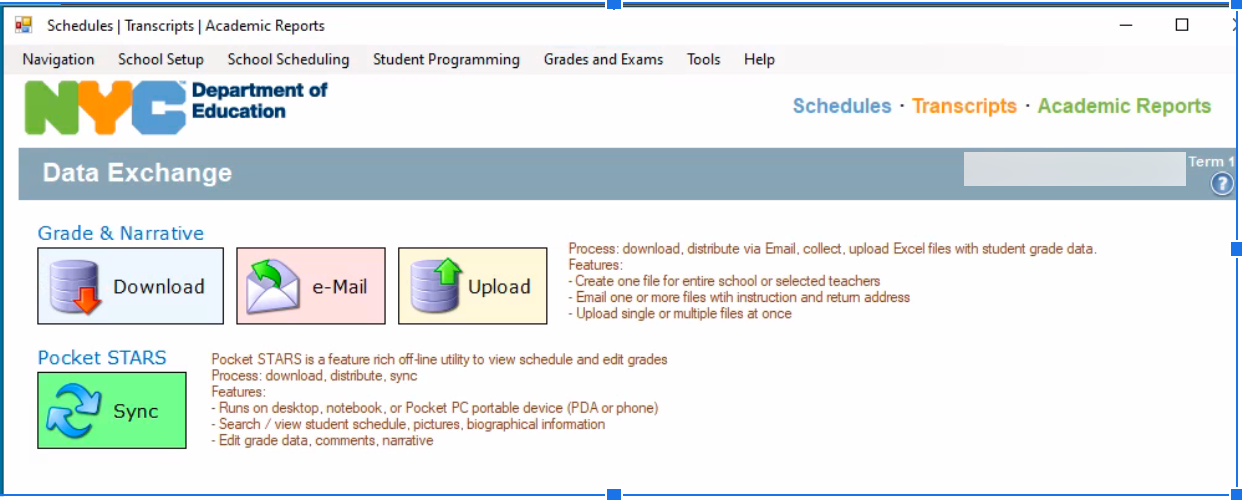
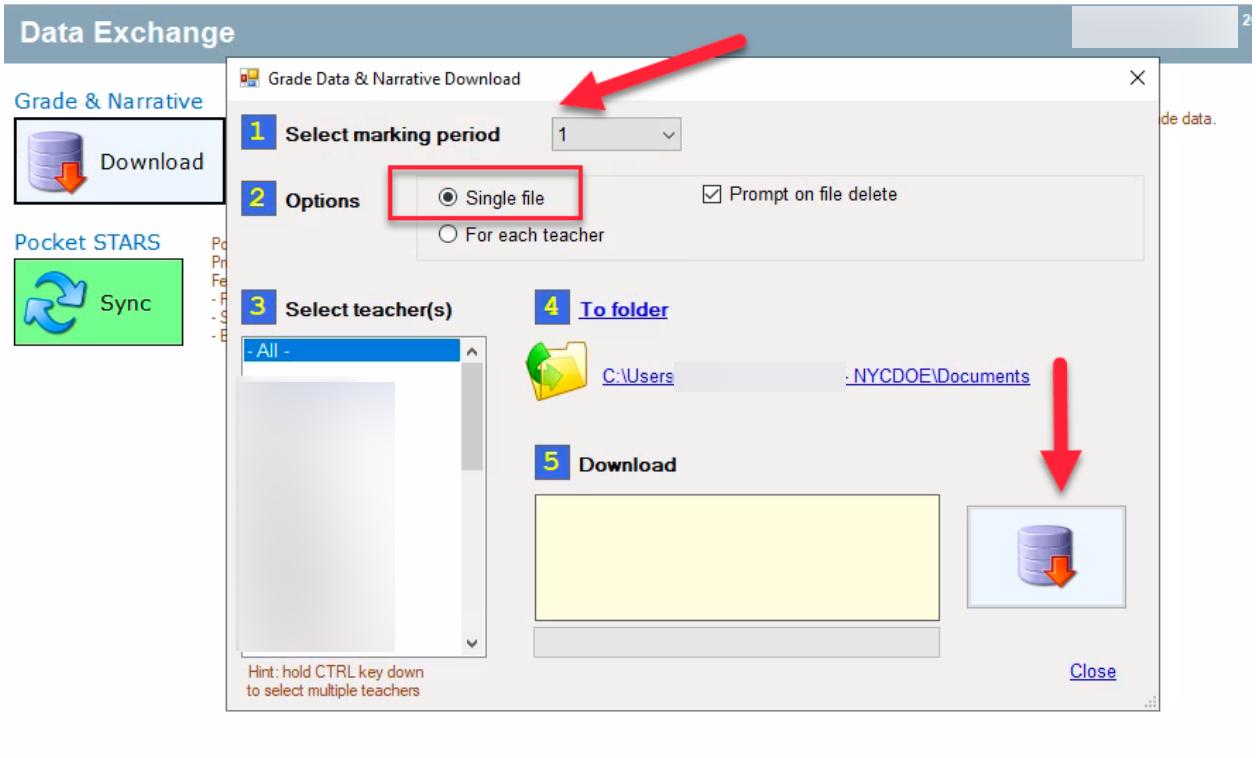
Select your current Marking Period, use the Single File option, and select ALL Teachers before clicking on the Download button. Make note of the location of the saved file since you will be using it to upload to Admin module > Class Grades > Upload and Populate EGG for STARS.
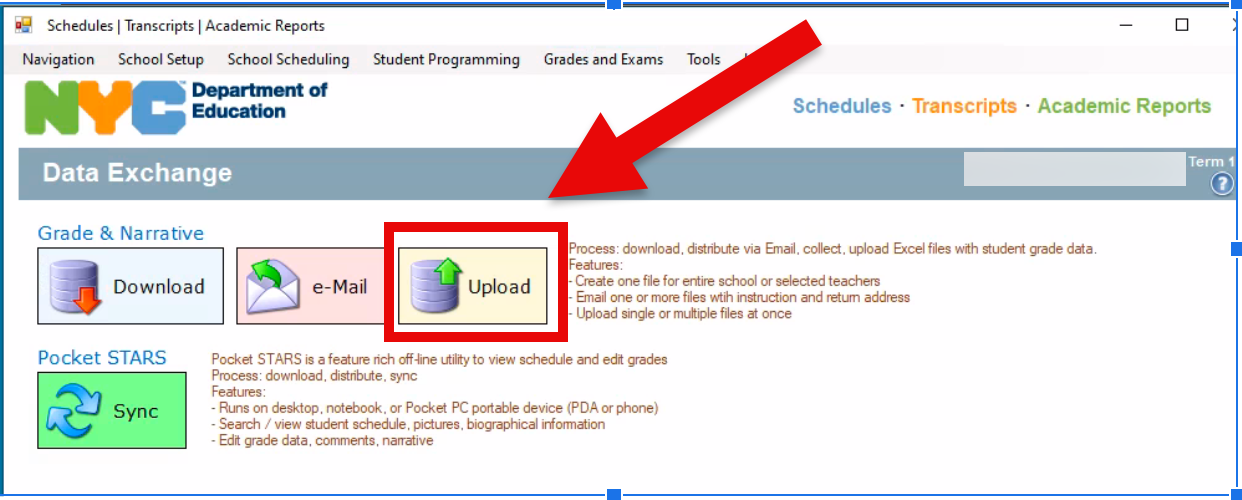
On the return trip from Class Grades, use the Upload option in Data Exchange to populate the grades in STARS.
See Also:
- Class Grades - Teacher Quick Tips
- Class Grades for Administrators - Training Documents
- Class Grades for Teachers - Training Documents
*select schools have this feature set enabled on a rolling invitation basis - Fall/Winter 2024-25
Was this article helpful?
That’s Great!
Thank you for your feedback
Sorry! We couldn't be helpful
Thank you for your feedback
Feedback sent
We appreciate your effort and will try to fix the article