Many schools use a formal integration with their student information system (SIS) (i.e. Aeries, PowerSchool, Infinite Campus, etc) to keep classes and rosters up to date in JumpRope. Custom Classes/Courses in JumpRope are rosters and classes that a teacher can manage within their own gradebook. These can be used in conjunction with or in place of an integration with a formal SIS integration. The feature must be enabled for your school.
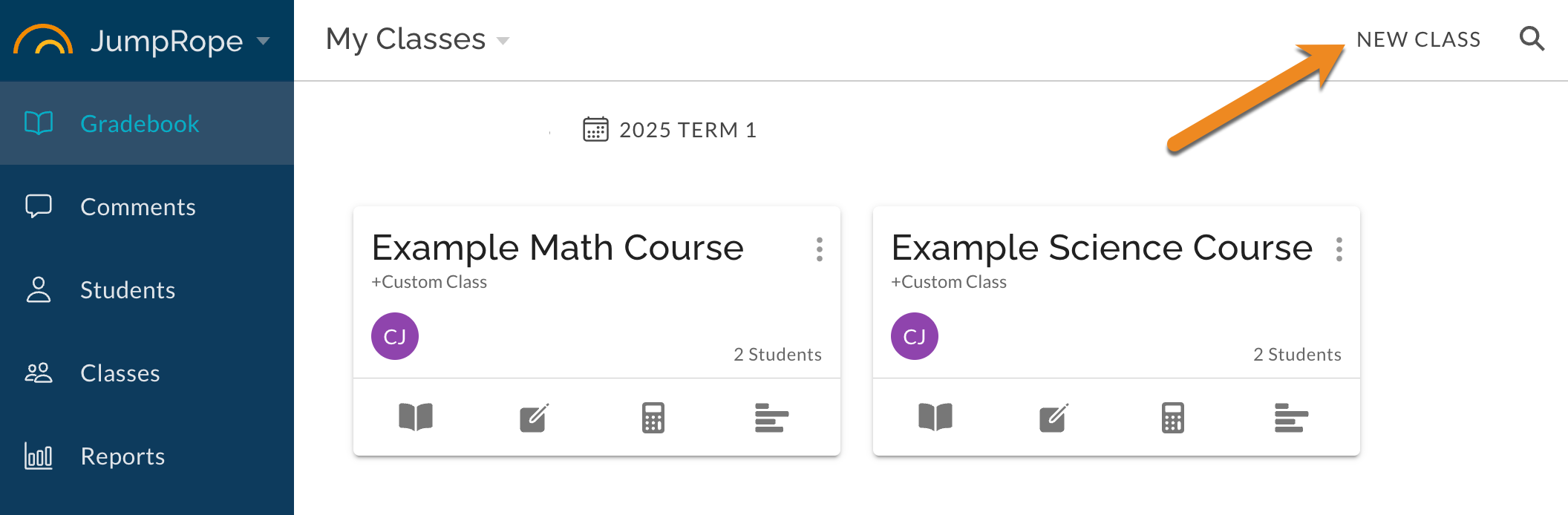
- To create a class , navigate to Gradebook and click New Class in the top right.
- Fill out the form that opens:
- Term* : if more than one active term or school is available, select the term for the class.
- Name* : give your class a name, less than 30 characters.
- Credited As : optionally, type the exact name of an existing managed class to have the scores in your custom class with the scores in the managed class. Recommended to keep this field empty.
- Teachers : add any co-teachers for the class.
- Add students to the custom class by typing the student name in the top right of the form. Only students enrolled in the selected term and school are available.
- Remove students from the custom class by selecting Remove from the item menu to the right of the student's name.
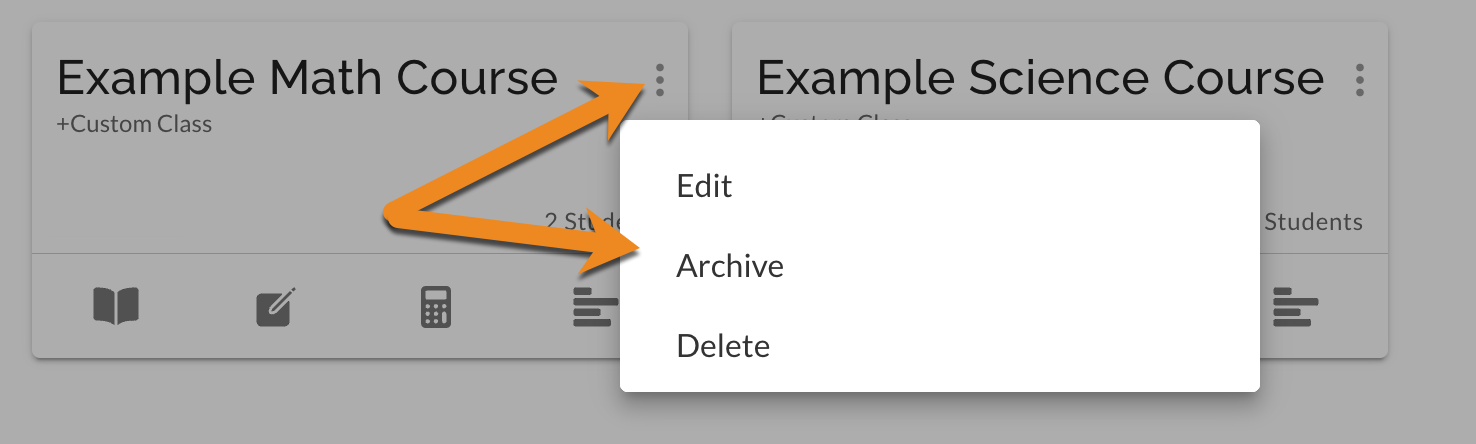
- To edit, archive, or delete a custom class , use the item menu in the Class card view.
***If using attendance features along with Custom Classes, please note that a student enrolled in more than one Custom Class cannot have separate attendance for each class. In other words, a single attendance mark per date per student is available; the most recently entered mark will be the one displayed and will override any previous marks for that date.
Was this article helpful?
That’s Great!
Thank you for your feedback
Sorry! We couldn't be helpful
Thank you for your feedback
Feedback sent
We appreciate your effort and will try to fix the article