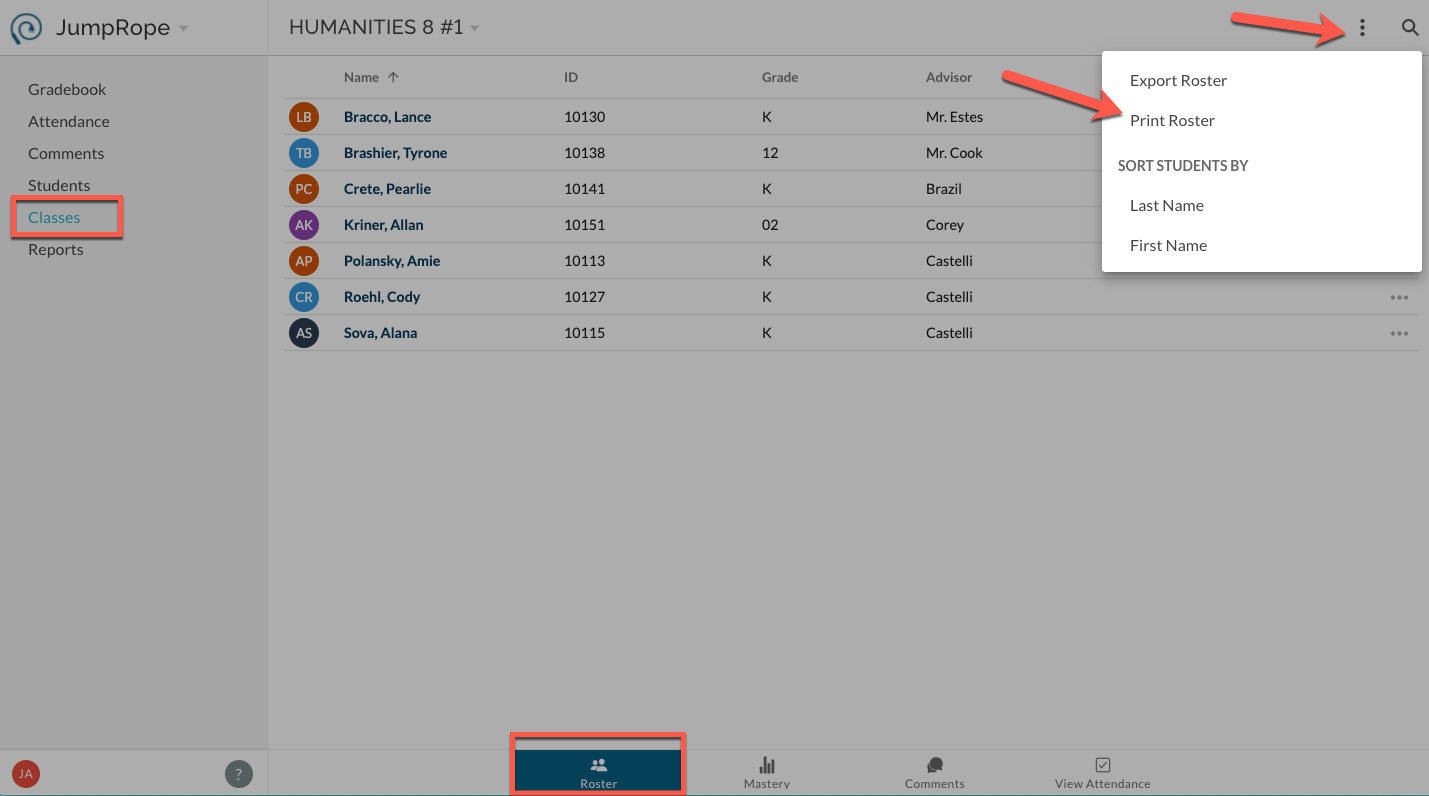
In Classes -> Roster select Print Roster from the upper right, more items menu. 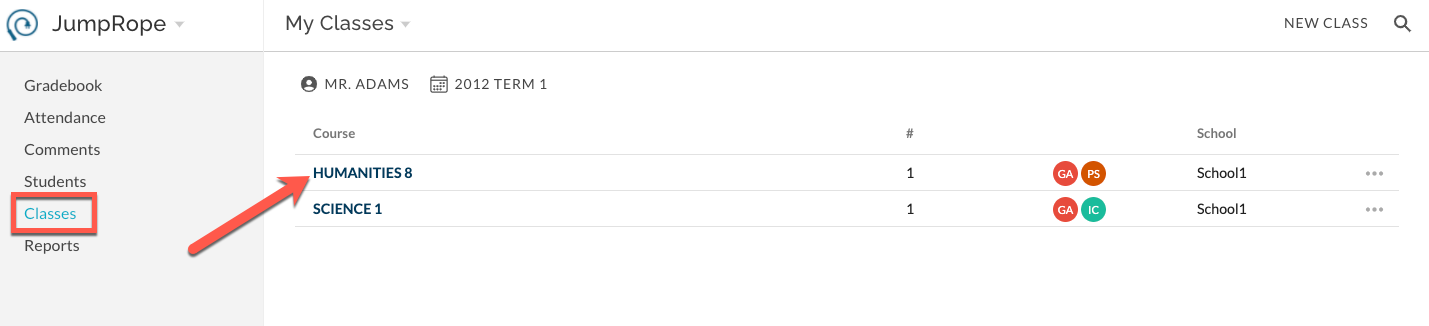
This will create a preview of a printable PDF file. It includes a row for each student and several empty columns.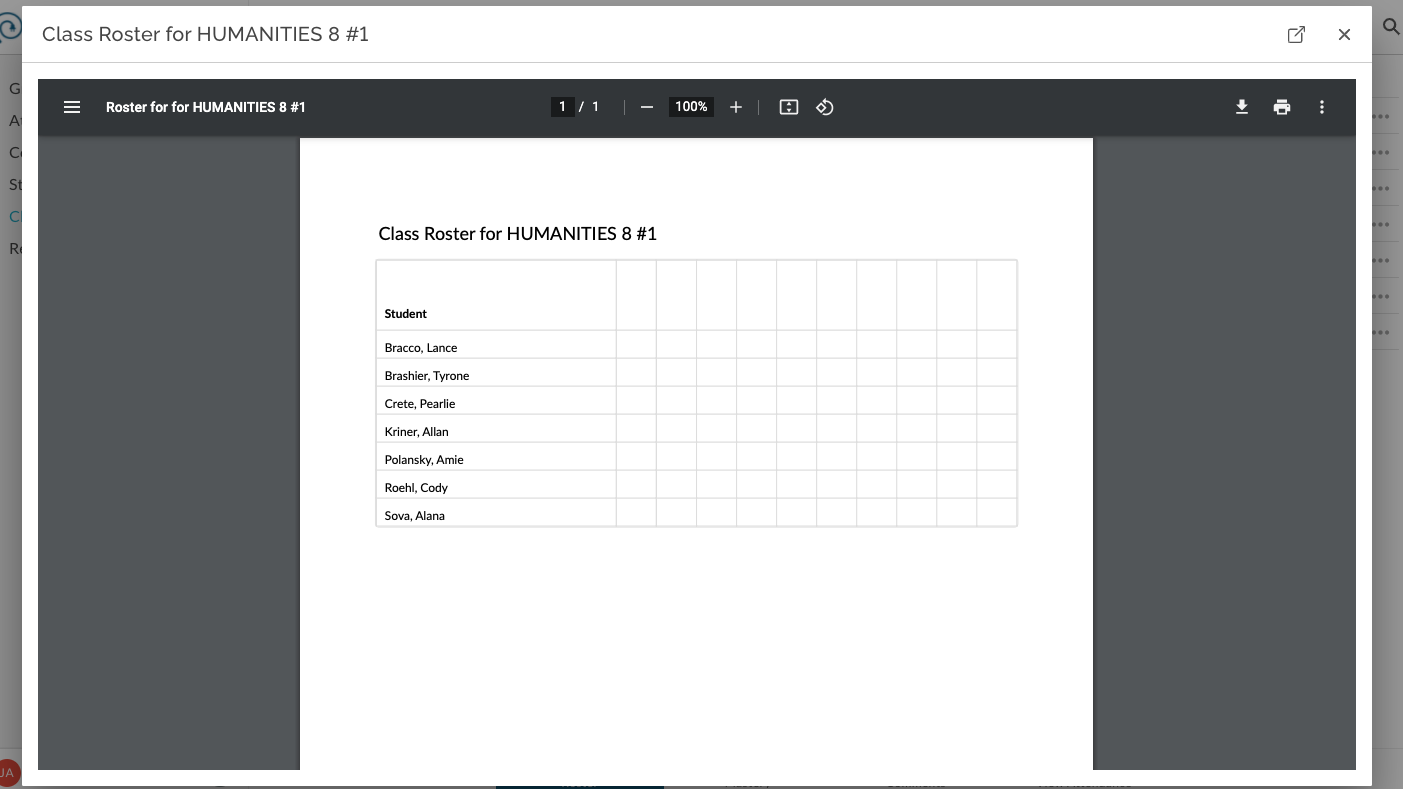
Was this article helpful?
That’s Great!
Thank you for your feedback
Sorry! We couldn't be helpful
Thank you for your feedback
Feedback sent
We appreciate your effort and will try to fix the article