I am an administrator:
Navigate to Admin -> Classes. Select the extra ... menu for the desired class.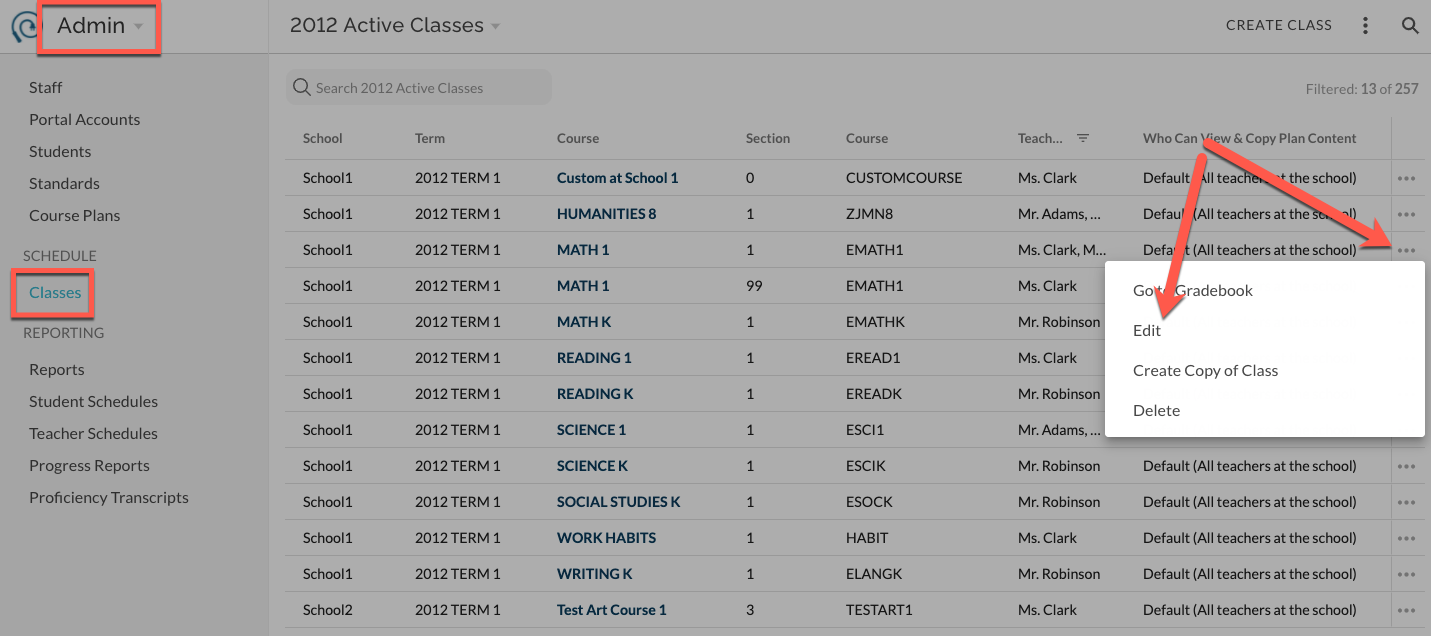
Begin typing in the Co-teachers field and select the desired teachers to add. You cannot edit or change Official Teachers. Save.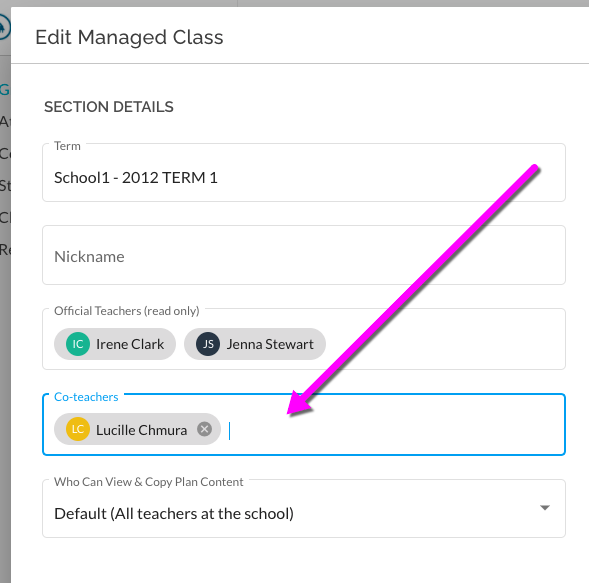
I am a teacher:
From the Card view of Classes in Gradebook, select the more menu for the desired class. 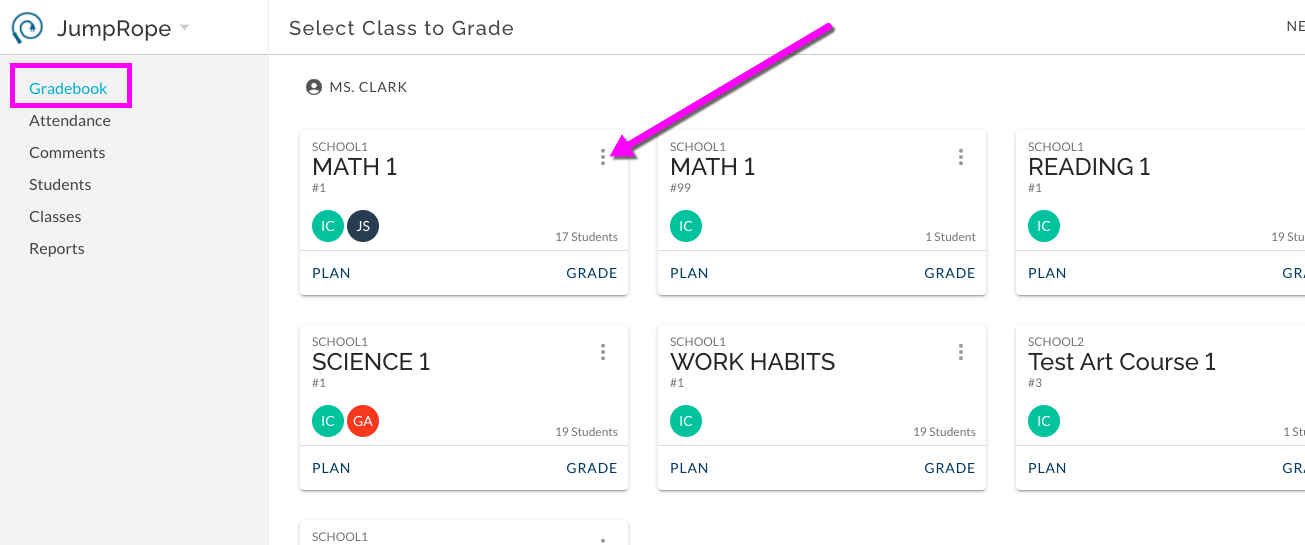
Begin typing in the Co-teachers field and select the desired teachers to add. You cannot edit or change Official Teachers. Save.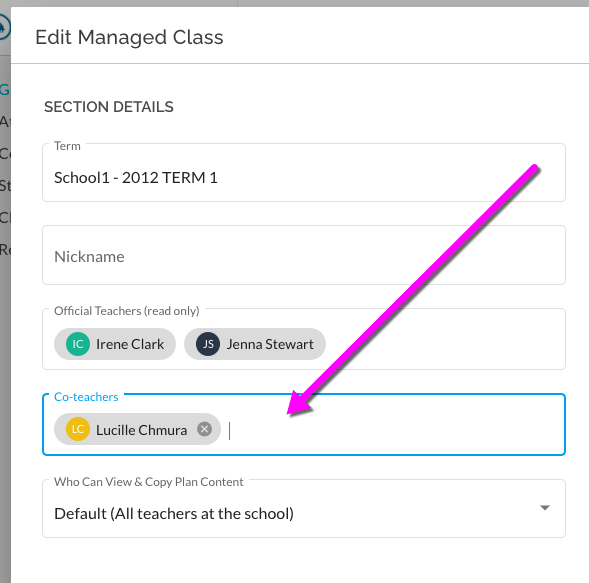
Co-teachers will have access to all of the Plan content and Grade entry features for this course without any further steps.
Note: In some cases, co-teachers can also be assigned by your schools' SIS. These are managed Official Teacher co-teacher assignments and cannot be edited in JumpRope.
Was this article helpful?
That’s Great!
Thank you for your feedback
Sorry! We couldn't be helpful
Thank you for your feedback
Feedback sent
We appreciate your effort and will try to fix the article