This article describes how to create a new assessment from within Grade. It's a handy feature, new to JR 2.0 to help you make quick assessments on the go. Generally, you'll want to Create a New Assessment in PLAN; the feature set there offers more options.
In Grade, select Create Assessment.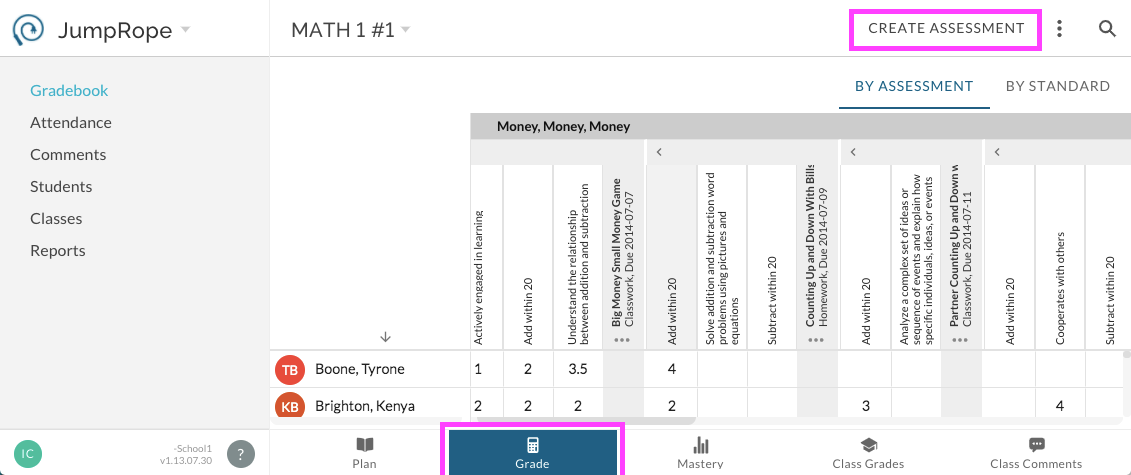
In the modal that opens, complete the form. For more detail on the form items, see here. Select Course Standards from the list at right to align to the new assessment. If needed, add more standards to the class using "Pull from Bank".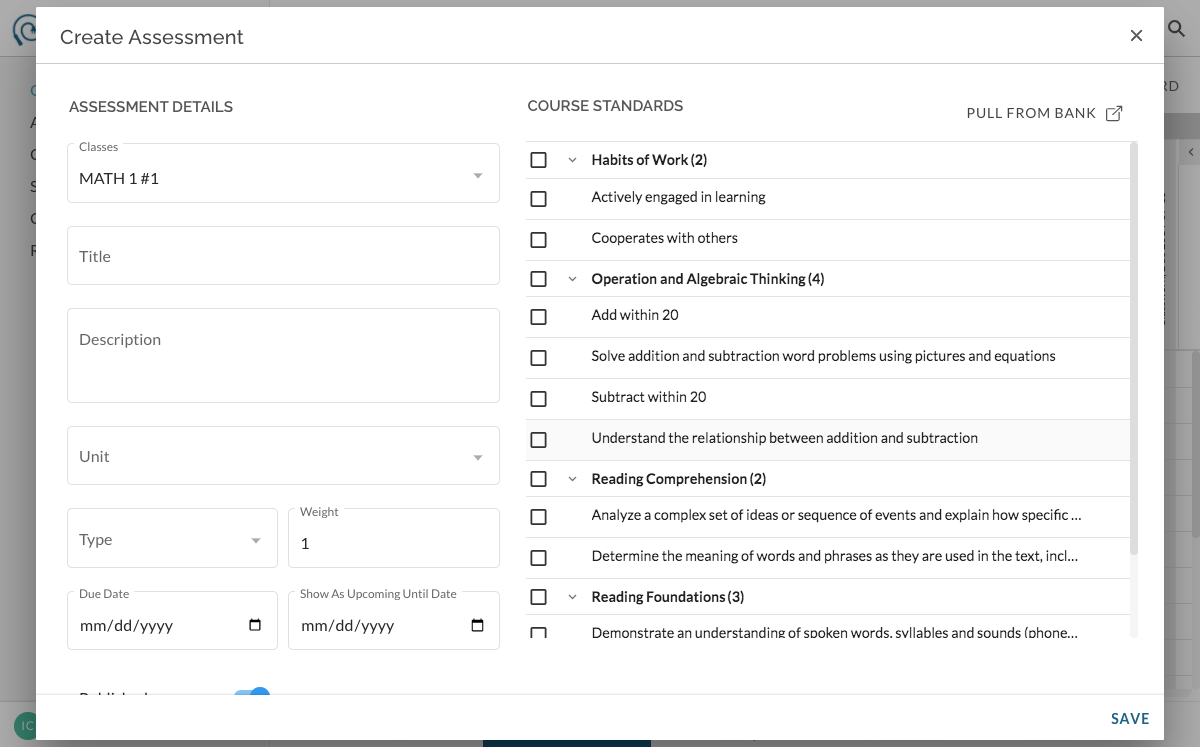
Was this article helpful?
That’s Great!
Thank you for your feedback
Sorry! We couldn't be helpful
Thank you for your feedback
Feedback sent
We appreciate your effort and will try to fix the article