- Search for the student by name or select the Students menu
- Select the student's name from the list
- Navigate to Mastery tab
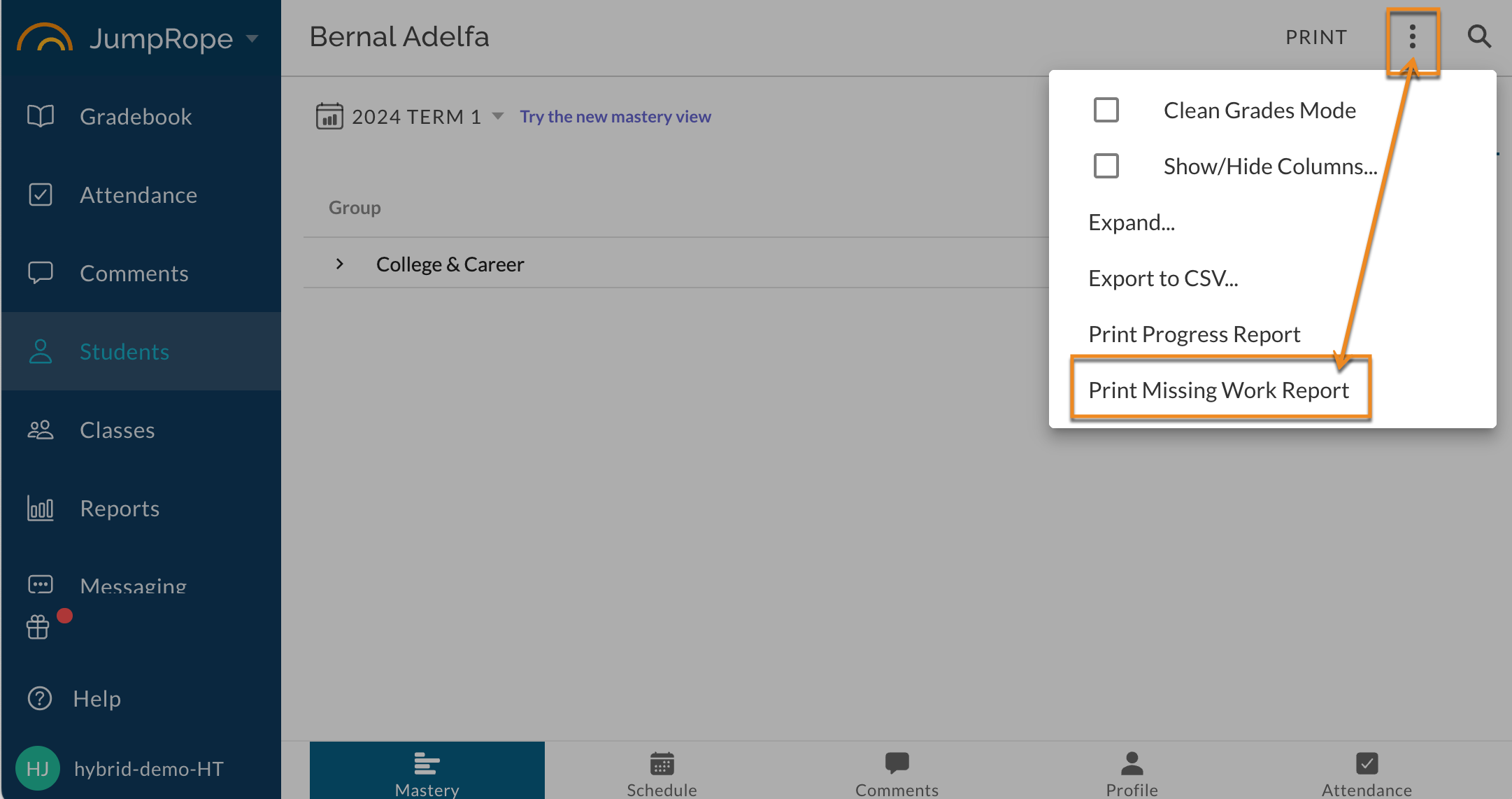
- Click the ⋮ (three dots/kabob menu) in the upper right corner
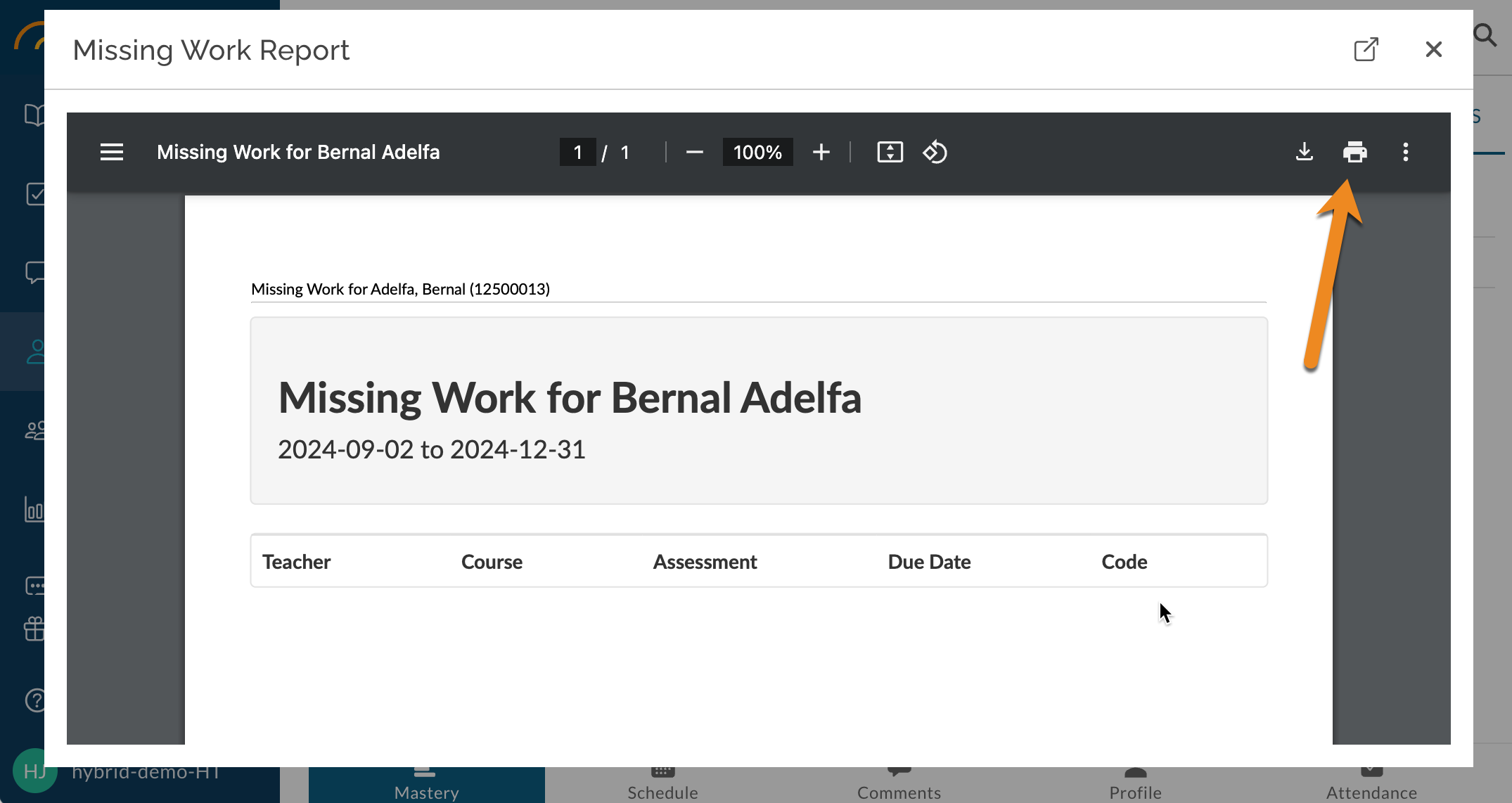
- Select Print Missing Work Report from the menu options
Was this article helpful?
That’s Great!
Thank you for your feedback
Sorry! We couldn't be helpful
Thank you for your feedback
Feedback sent
We appreciate your effort and will try to fix the article