In Plan, click on an existing assessment. The assessment card will highlight and show options to EDIT and GRADE.
With the assessment selected, the list of child standards will filter to display only those that are currently aligned to the given assessment. 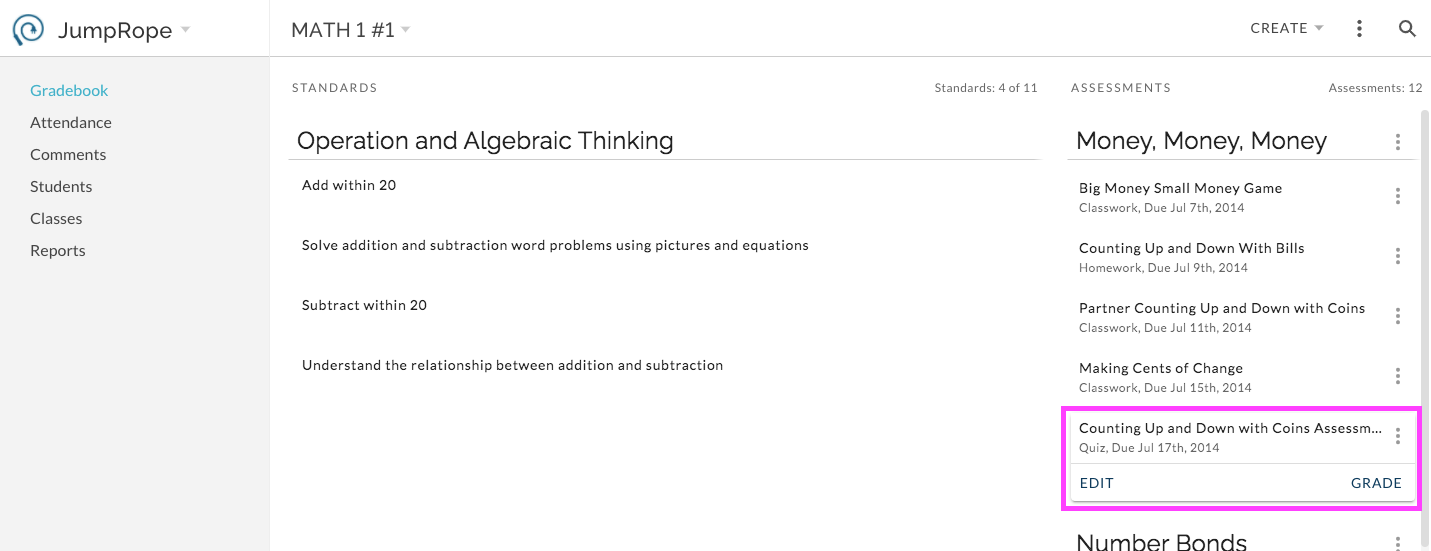
EDIT - Select to open the detail fields for the given assessment and edit as needed. This feature will also shift the standards list to show all available standards. For more on editable fields see here.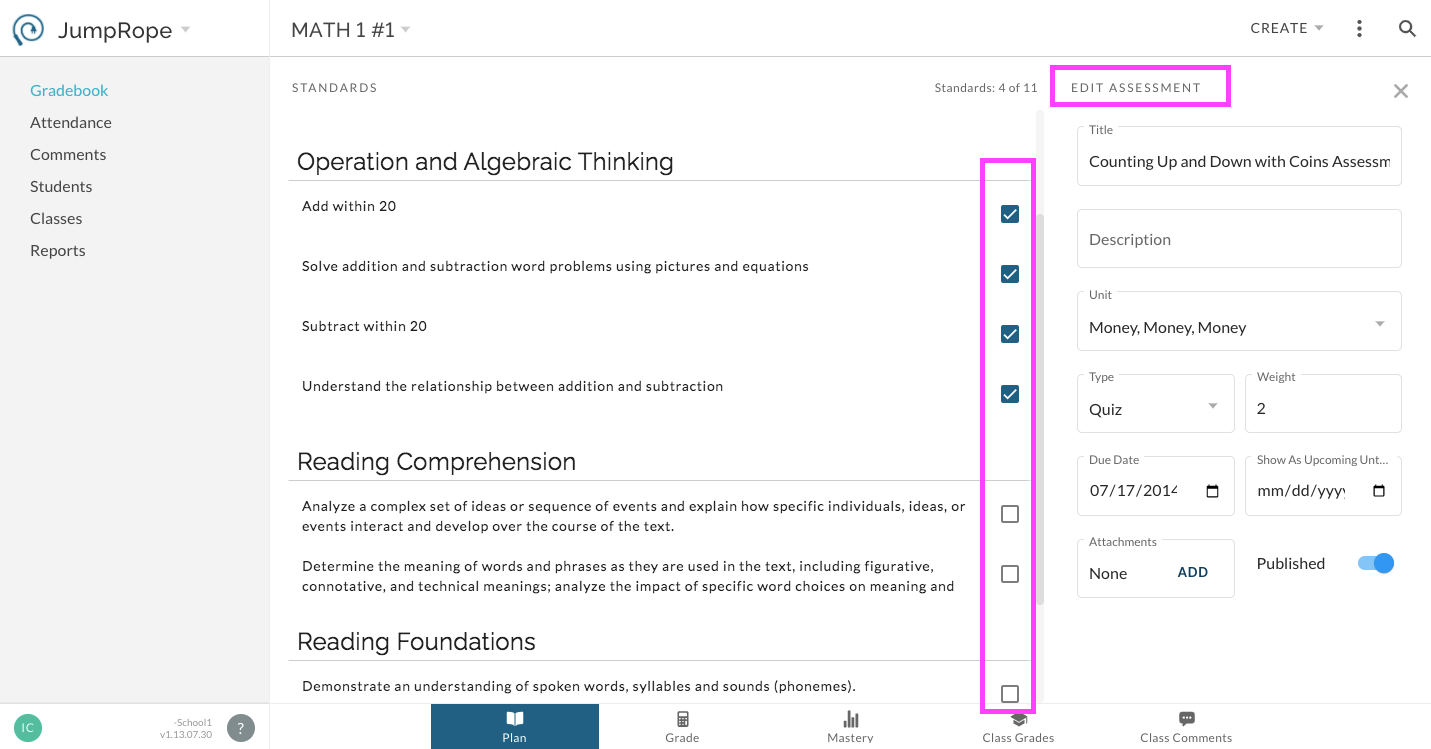
GRADE - Select to navigate away from the Plan page and to Grade for the given assessment. For more on Grade entry see here.
Was this article helpful?
That’s Great!
Thank you for your feedback
Sorry! We couldn't be helpful
Thank you for your feedback
Feedback sent
We appreciate your effort and will try to fix the article