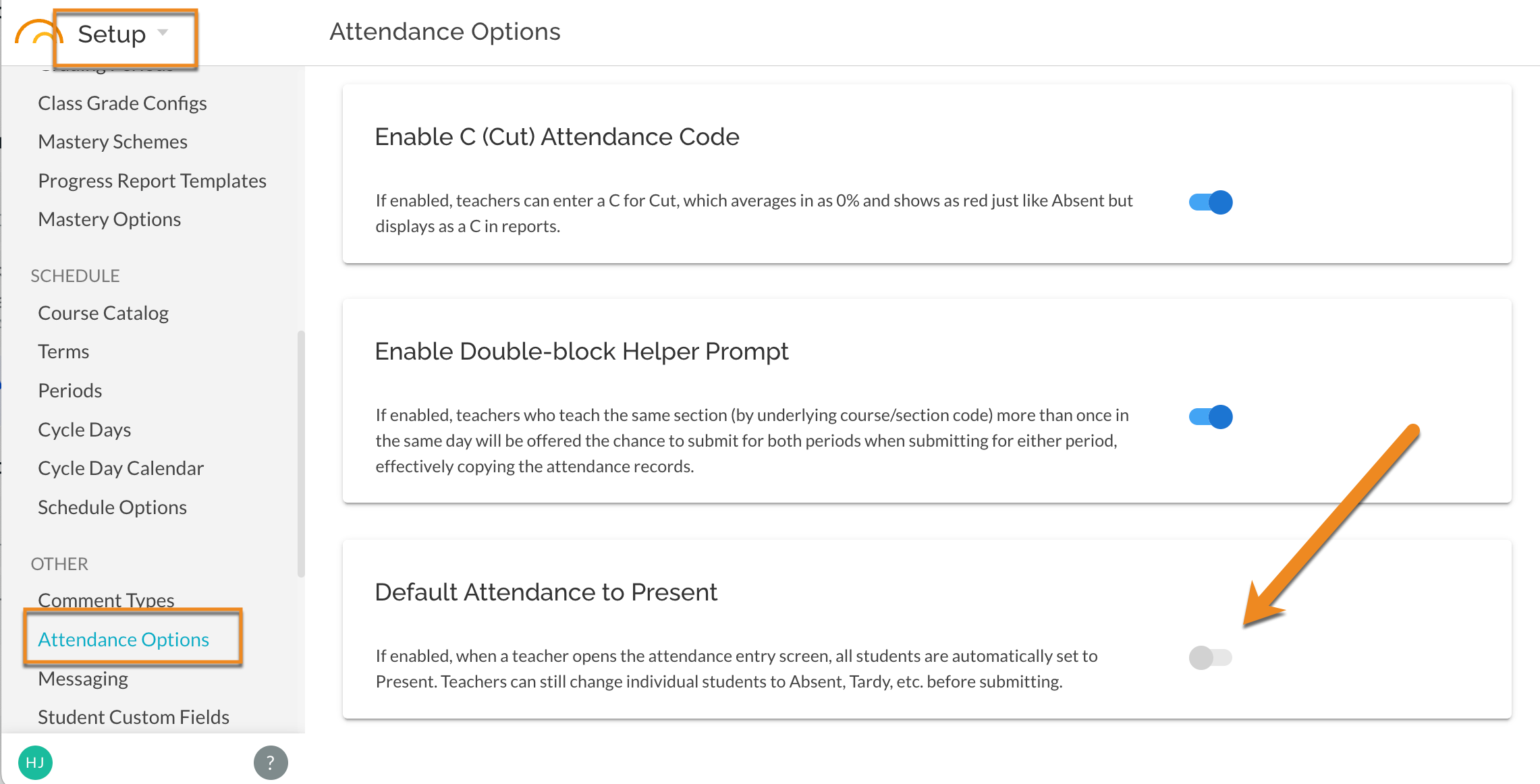
For Period by Period Attendance users, toggle on so that when a teacher opens the Attendance window all students are set to Present. Teacher can then edit as needed and Submit Attendance.
In Setup - Other - Attendance Options , toggle on "Default Attendance to Present":
Teachers must still select to Submit attendance for the marks to save to the student and attendance records.
Was this article helpful?
That’s Great!
Thank you for your feedback
Sorry! We couldn't be helpful
Thank you for your feedback
Feedback sent
We appreciate your effort and will try to fix the article