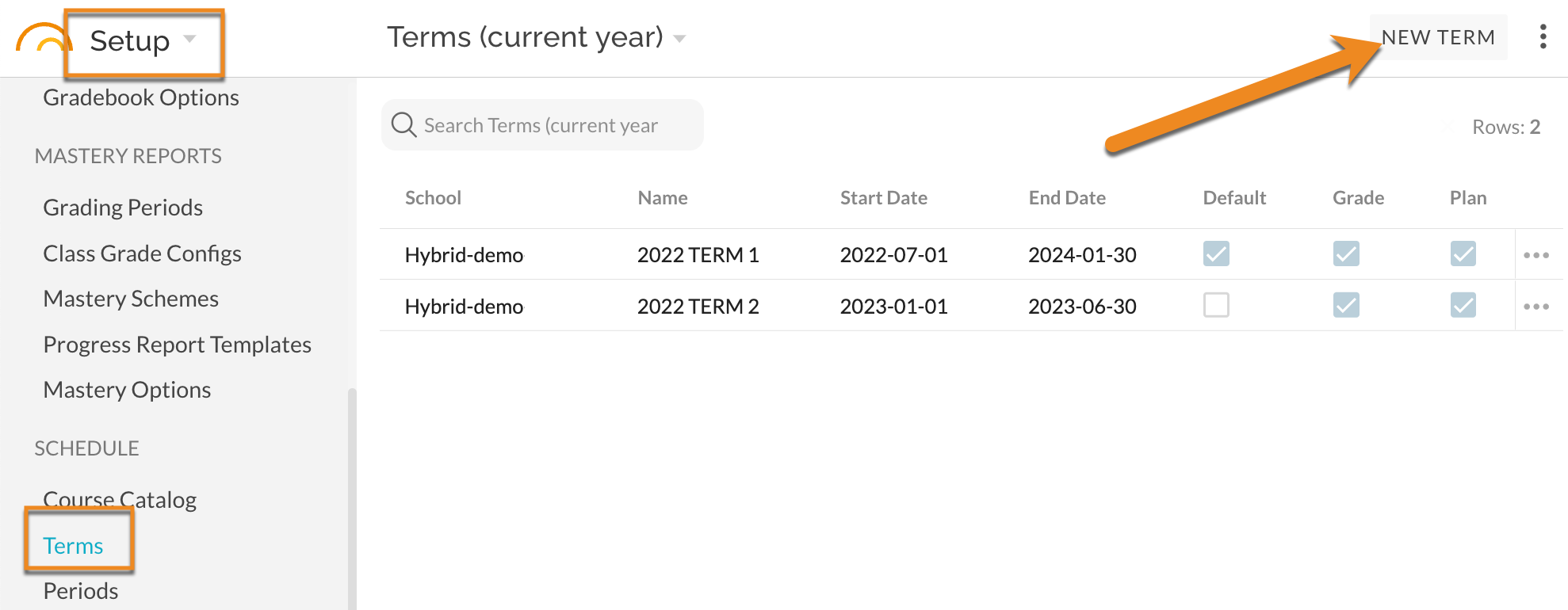
Navigate to Setup - Schedule - Terms. Select New Term.
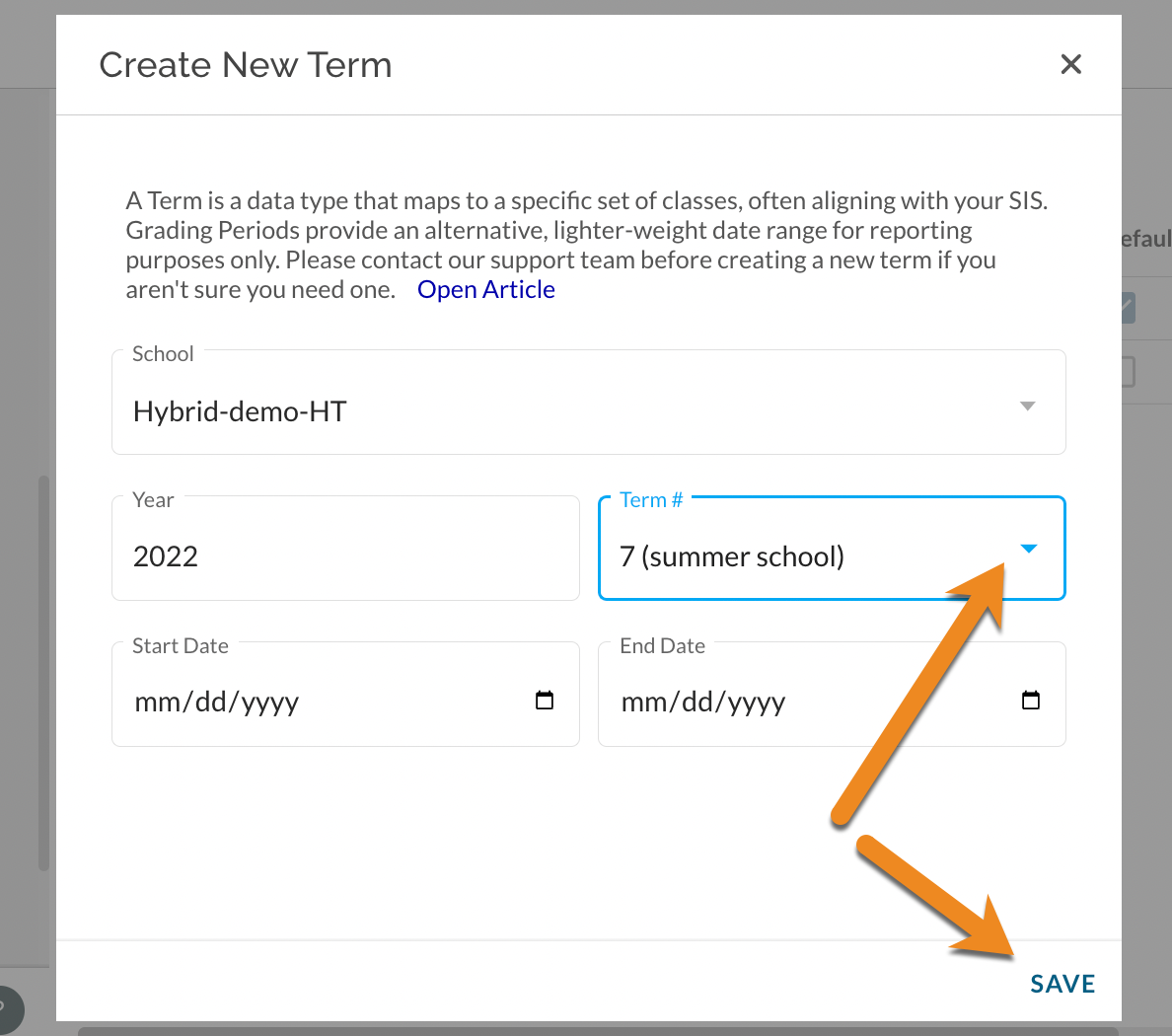
Create TERM 7 (summer school) and enter start and end dates for the reports.
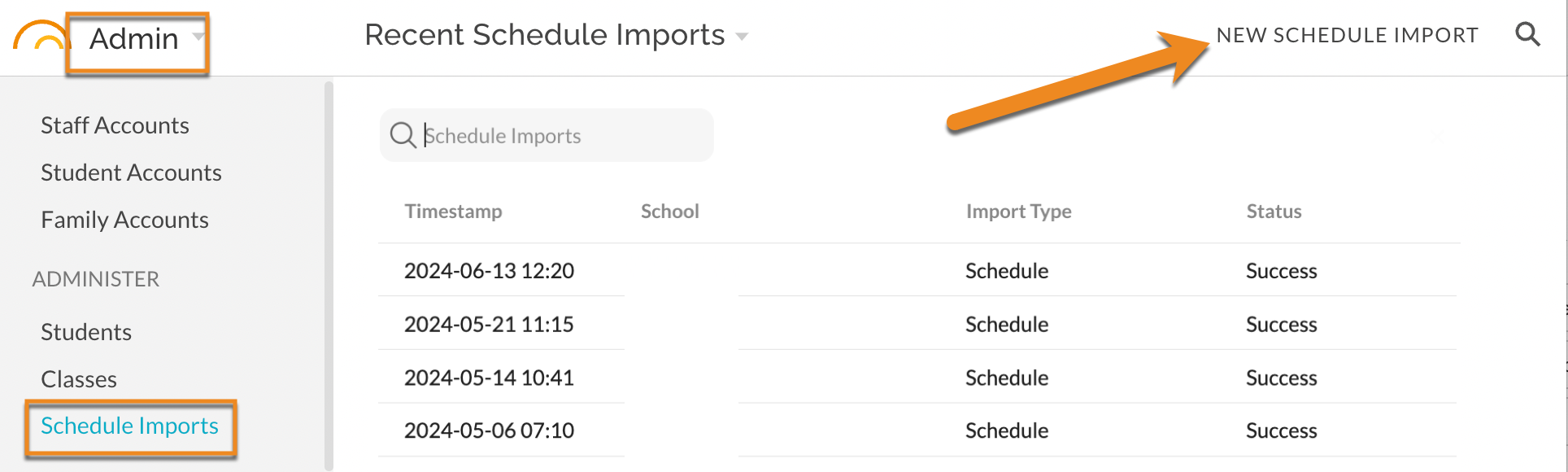
Navigate to Admin - Administer - Schedule Imports. Import STARS report exports for TERM 7.
See also:
- Managing Terms
- How do I 'close' Grade books for the end of year or term or 'open' them for past terms?
- How To - Start the New School Year
- JumpRope Renewal & End-of-Year FAQs
Was this article helpful?
That’s Great!
Thank you for your feedback
Sorry! We couldn't be helpful
Thank you for your feedback
Feedback sent
We appreciate your effort and will try to fix the article