Scoring Criteria are managed directly in the Standard Bank by users with Admin permissions.
In Admin - Standards Bank, select the desired bank.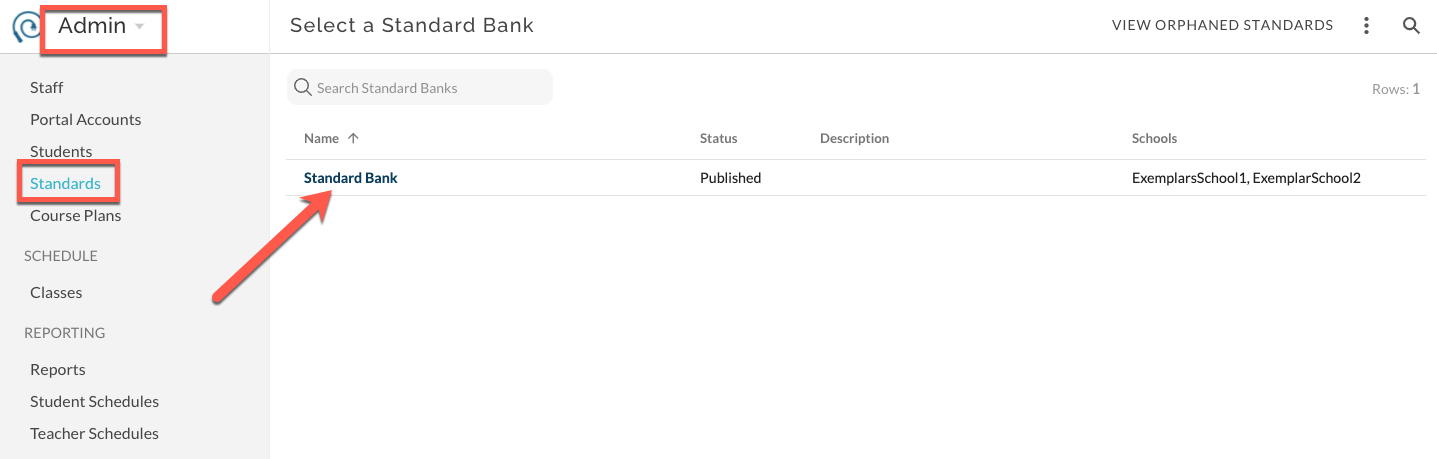
Change the view to Scoring Criteria.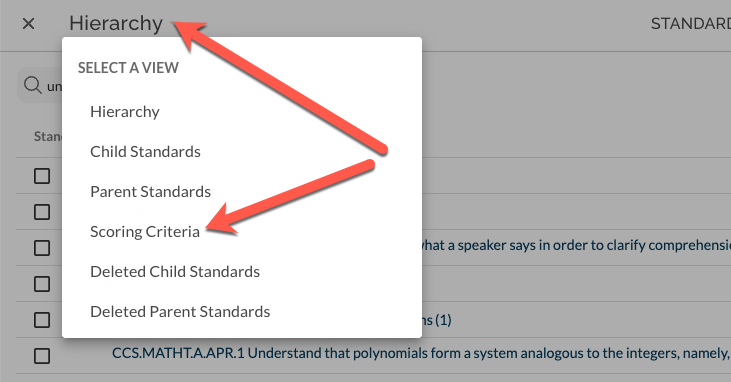
Find the desired Child Standard and expand the row.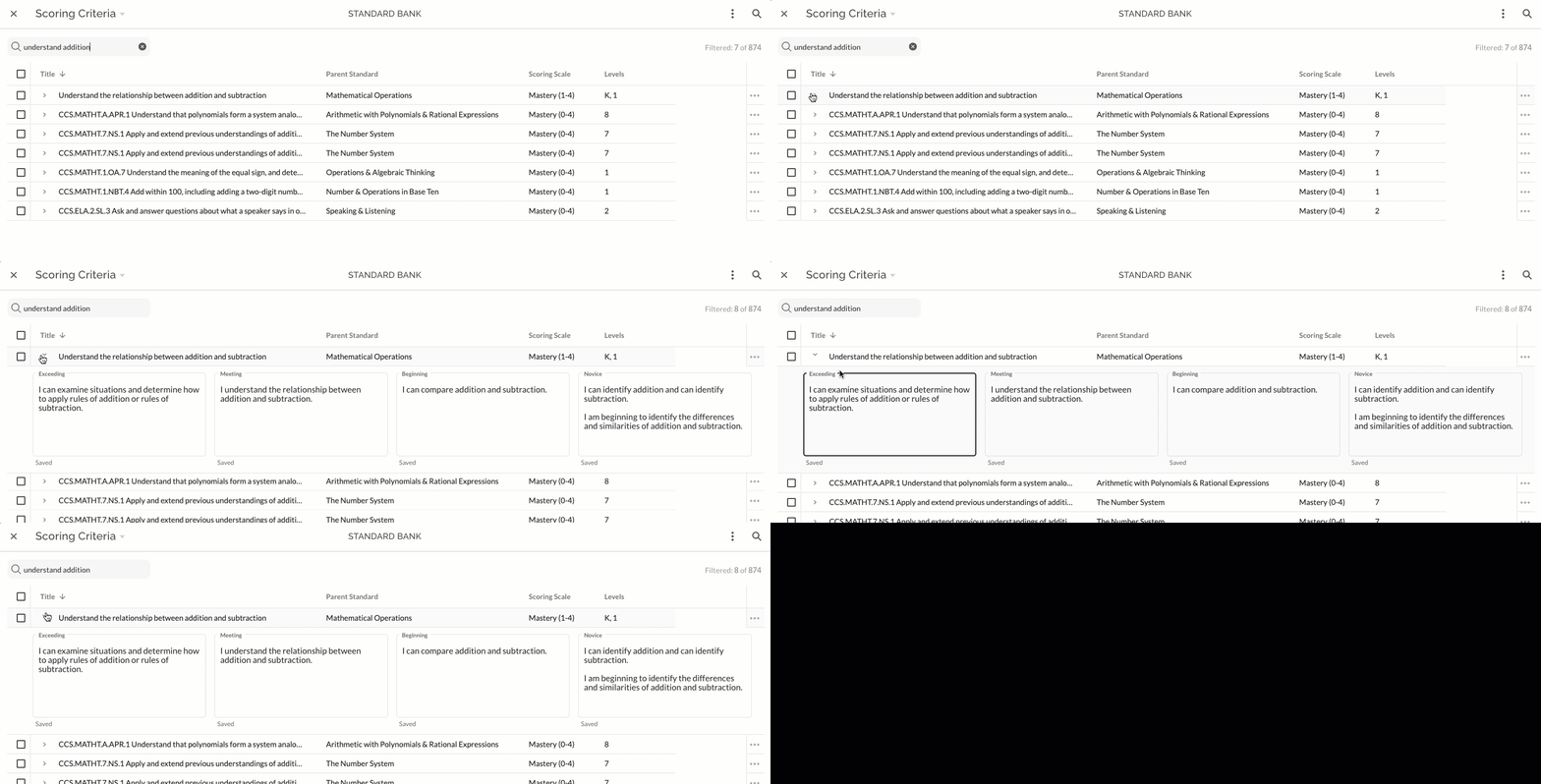
Type or copy/paste into the desired field. The text will save automatically and be indicated with "Saved". Edit text as needed.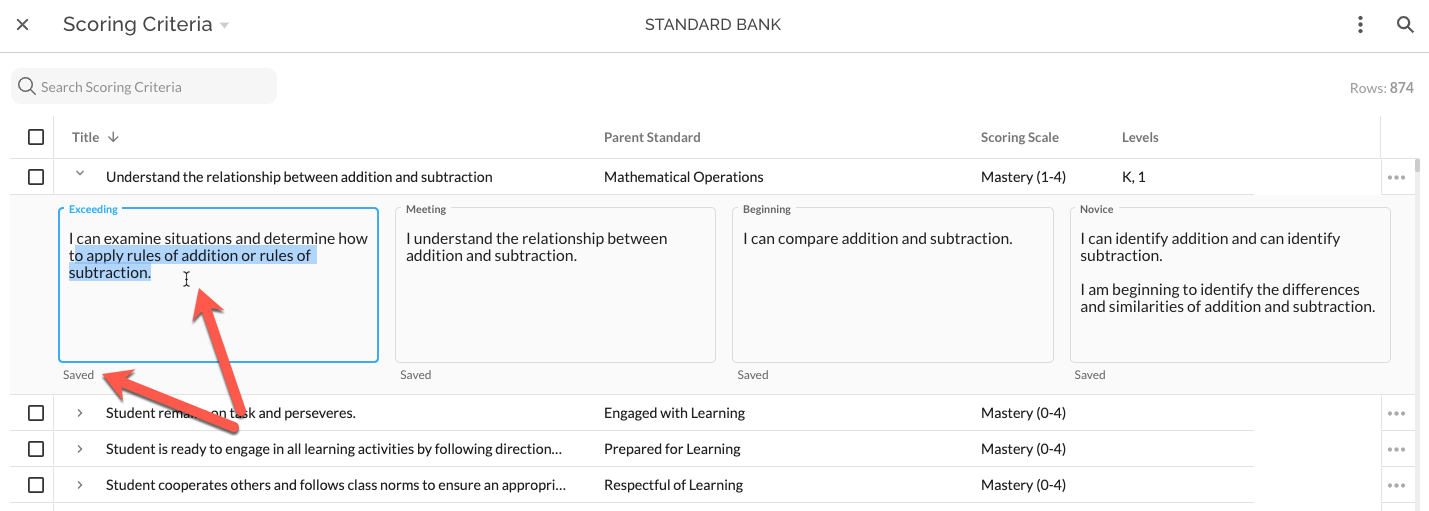
To import Scoring Criteria in bulk, prepare a spreadsheet that includes Standard ID and text for any or all Scoring Criteria Levels. The export accessed as shown below can be used as a starting point for this spreadsheet; it includes Standard ID.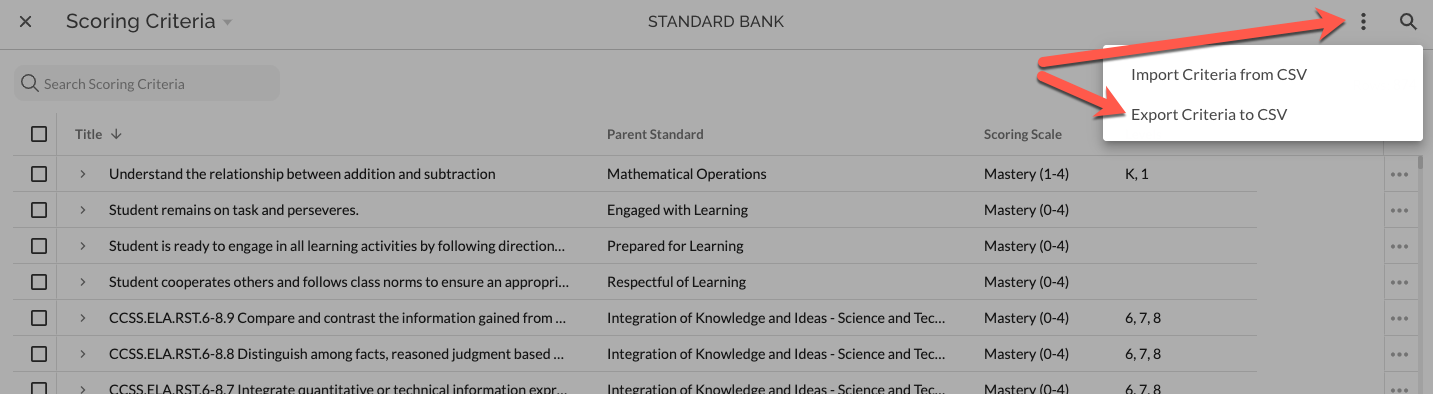
Select Import from the extras menu in the upper right of the bank and then upload spreadsheet file or copy/paste into the import mapping interface. Follow steps in mapping interface to complete the import.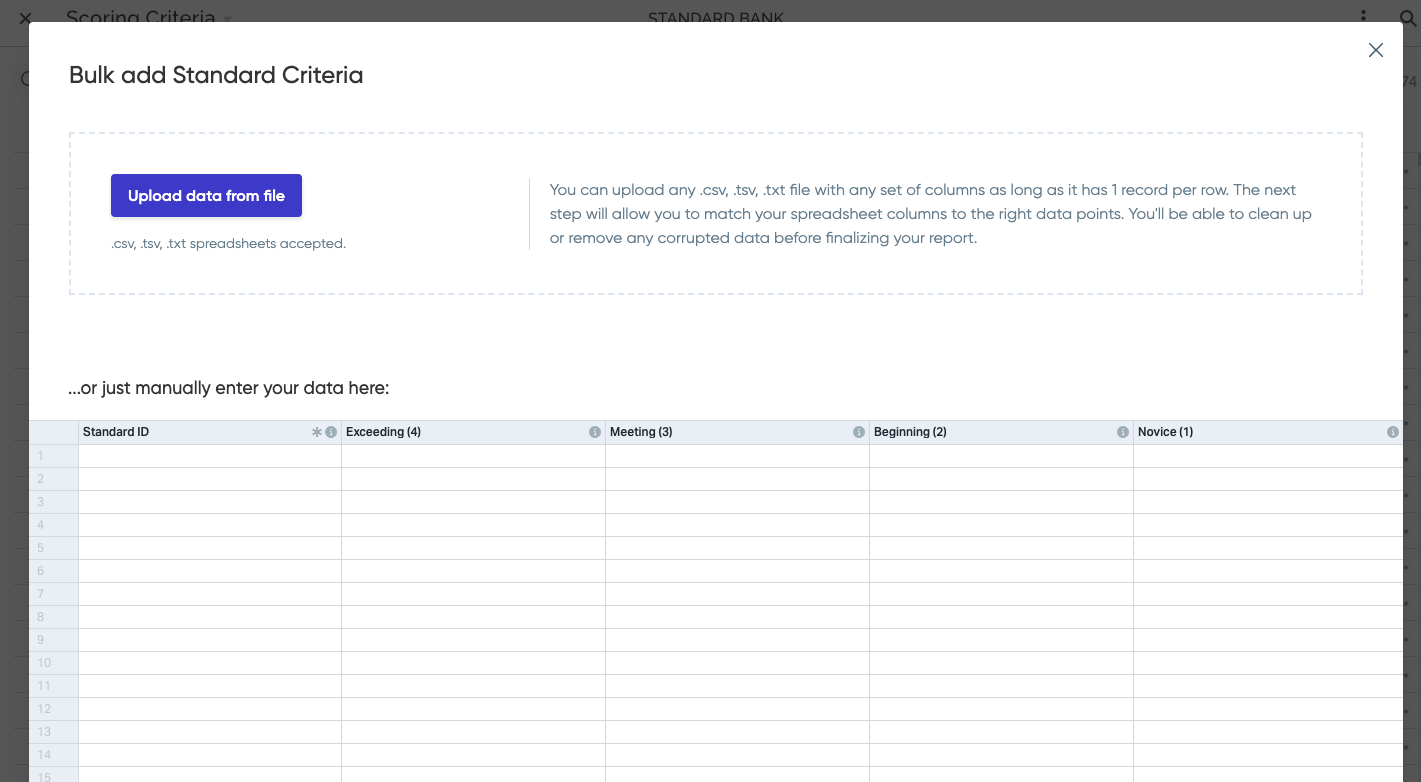
Was this article helpful?
That’s Great!
Thank you for your feedback
Sorry! We couldn't be helpful
Thank you for your feedback
Feedback sent
We appreciate your effort and will try to fix the article